iPad buying guide 2026 for students, work, drawing, and travel

Quick recommendation
If you are buying an iPad in 2026, begin with the job you need it to do, not the chip name. This iPad buying guide covers Apple’s current lineup as of September 10, 2026: iPad (A16), iPad mini (A17 Pro), iPad Air (M4), and iPad Pro (M5). The iPad (A16) is the sensible choice for reading, streaming, family use, light schoolwork, and basic note-taking. The iPad Air (M4) is the better long-term pick for students, creators, remote workers, and buyers who want Apple Pencil Pro and Apple Intelligence support. The iPad Pro (M5) is easier to justify when its tandem OLED display, ProMotion, faster storage, and higher performance directly support paid creative or professional work. The iPad mini remains the portability option, not a full laptop replacement.
For more comparison-led shopping articles, see our buying guides.
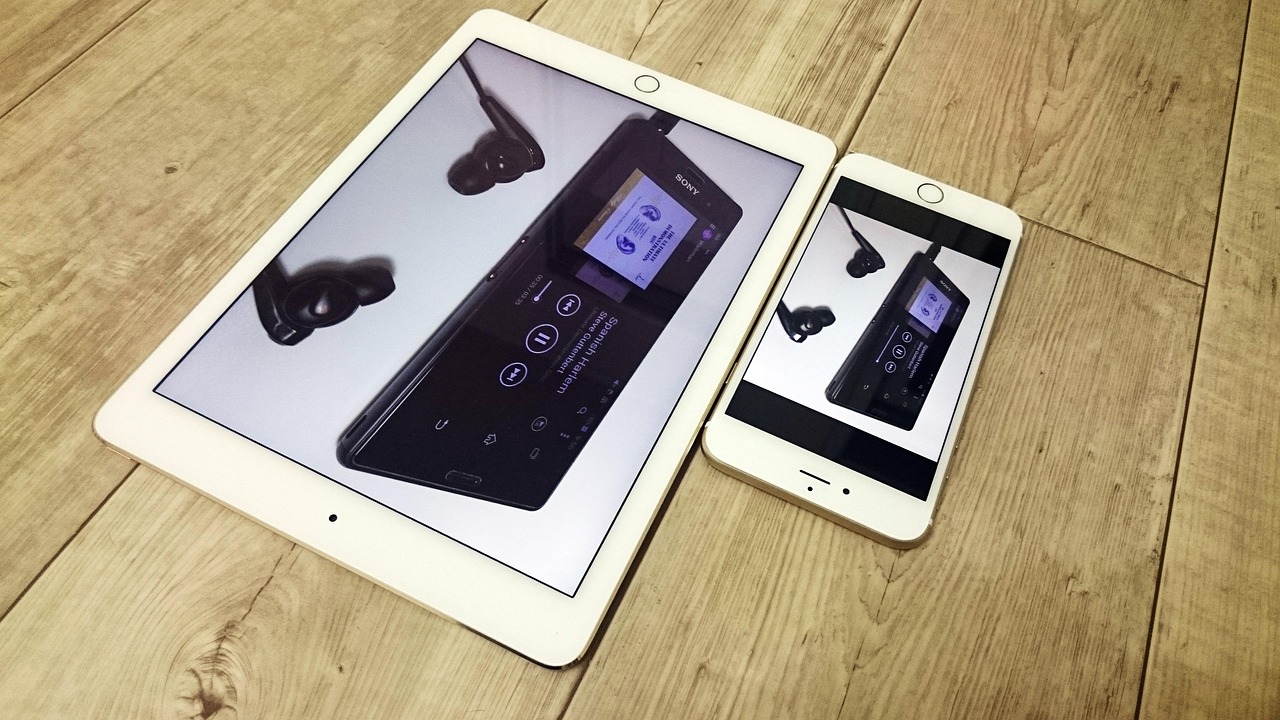
The current iPad lineup in 2026
Apple has four main iPad families for buyers to compare. Apple’s model comparison page currently lists iPad Pro with M5, iPad Air with M4, iPad with A16, and iPad mini with A17 Pro among the current models. Apple announced the iPad mini with A17 Pro on October 15, 2024, the iPad with A16 on March 4, 2025, the iPad Pro with M5 on October 15, 2025, and the iPad Air with M4 on March 2, 2026. Those dates matter because older buying advice may still point shoppers toward discontinued or previous-generation models.
| Model | Who it fits | Key strengths | Main limitation |
|---|---|---|---|
| iPad (A16) | Families, casual users, younger students, media and web use | Lower entry cost, 128GB starting storage, 11-inch class Liquid Retina display, USB-C, Apple Pencil (USB-C) support | No Apple Intelligence support, less future-facing for advanced productivity |
| iPad mini (A17 Pro) | Travelers, field notes, pilots, handheld reading, compact sketching | 8.3-inch size, A17 Pro chip, Apple Pencil Pro support, very portable | Small screen and Bluetooth keyboard support make it less suitable as a work laptop substitute |
| iPad Air (M4) | Students, designers, writers, office work, furniture planning, client presentations | 11-inch and 13-inch sizes, M4 chip, Apple Pencil Pro support, Magic Keyboard support, Apple Intelligence eligibility | Liquid Retina display lacks the Pro model’s tandem OLED and ProMotion |
| iPad Pro (M5) | Professional artists, video editors, heavy multitaskers, premium display users | M5 chip, Ultra Retina XDR tandem OLED display, ProMotion, 256GB to 2TB storage options, advanced Magic Keyboard support | High price, and many everyday users will not use its extra headroom |
Launch pricing also shows the gap between tiers. Apple’s U.S. launch prices started at $349 for iPad (A16), $499 for iPad mini (A17 Pro), $599 for the 11-inch iPad Air (M4), $799 for the 13-inch iPad Air (M4), $999 for the 11-inch iPad Pro (M5), and $1,299 for the 13-inch iPad Pro (M5). Retail prices, education pricing, trade-in values, and promotions can change, so treat those figures as reference points rather than a live checkout quote.
How to choose by use case
Everyday browsing, video, and family use
Choose iPad (A16) if the main tasks are web browsing, email, YouTube, Netflix, FaceTime, recipes, smart home control, light games, and shared family use. It has the modern all-screen iPad design, USB-C, a 128GB starting configuration, and enough performance for ordinary apps. It also supports Apple Pencil (USB-C), which is sufficient for markup, handwritten notes, and simple drawing.
The main reason to step up is software support. Apple’s Apple Intelligence and Siri AI device eligibility lists include iPad mini (A17 Pro) and iPad models with M1 or later. Because the standard iPad uses A16 rather than an M-series chip or A17 Pro, buyers who care about those features should consider iPad Air or iPad mini instead.
School, university, and long study sessions
For younger students, the iPad (A16) is usually enough. For university students or anyone planning to keep the tablet through several years of coursework, the iPad Air (M4) is easier to recommend. It has more performance headroom, supports Apple Pencil Pro, and works with Magic Keyboard for iPad Air. The 13-inch Air is especially useful when a student regularly keeps notes, PDFs, browser tabs, and video calls open at the same time.
Storage matters for school. A 128GB iPad can work if most documents live in cloud storage and the device is not used for large games or downloaded video. A 256GB configuration is the safer middle ground for students who keep lecture recordings, textbooks, images, and offline files on the device.
Drawing, furniture planning, and visual work
For sketching, interior planning, furniture layout review, product photography markup, and client presentation boards, the iPad Air (M4) is the practical middle tier. It supports Apple Pencil Pro, comes in 11-inch and 13-inch sizes, and has enough power for creative apps without moving into Pro pricing. The 13-inch Air gives more canvas space for mood boards, floor plan notes, and side-by-side reference images.
Choose iPad Pro (M5) when display quality is part of the work requirement. Its Ultra Retina XDR display uses tandem OLED technology, and Apple’s comparison page lists ProMotion on the Pro models. That matters for illustrators, color-sensitive visual review, motion work, and users who notice the difference in stylus response and scrolling. For casual drawing and markup, however, iPad Air is usually the more balanced purchase.
Remote work and laptop-style productivity
If the goal is to replace a light laptop for writing, email, spreadsheets, CMS updates, video calls, and document review, do not judge the purchase by tablet price alone. Add the keyboard and storage you will actually buy. An iPad Air with Magic Keyboard can be a clean, portable work setup. An iPad Pro with Magic Keyboard is more refined and powerful, but the total package can move close to laptop pricing quickly.
The deciding factor is app workflow. If daily work depends on desktop browser extensions, specialized desktop software, multiple external monitors, or traditional file management, an iPad may be better as a laptop companion than a replacement. If the workload is mainly cloud documents, messaging, image markup, note-taking, and web publishing, an iPad Air can cover more tasks than many buyers expect.
Travel, reading, and field notes
The iPad mini (A17 Pro) is the easiest model to carry every day. It is well suited to handheld reading, quick notes, inspections, travel maps, and situations where a full-size tablet feels too large. Its Apple Pencil Pro support also makes it capable for field sketches and document markup.
The compromise is screen space. The mini is not ideal for long spreadsheet work, split-screen study, or typing-heavy tasks. If you often use the iPad at a desk, in a classroom, or as a presentation screen, the 11-inch iPad or iPad Air will be more comfortable.
The feature decisions that matter most
Screen size and display quality
For many buyers, size affects daily comfort more than chip speed. The 8.3-inch iPad mini is easy to hold but cramped for multitasking. The standard iPad and 11-inch iPad Air are good default sizes for mixed use. The 13-inch iPad Air and 13-inch iPad Pro are better for drawing, sheet music, design boards, large PDFs, and laptop-style work.
Display quality is where the Pro separates itself from the rest of the range. Current iPad Air, iPad, and iPad mini models use Liquid Retina displays, while the iPad Pro uses Ultra Retina XDR with tandem OLED. If you mostly read, stream, and write, the non-Pro displays are already strong enough. If you edit visual work, draw for long sessions, or value deep contrast and smoother ProMotion motion, the Pro display is a stronger reason to upgrade than the M5 chip by itself.
Chip and software support
Performance should match the workload. A16 is fine for common apps. A17 Pro gives the mini a stronger software runway and Apple Intelligence eligibility. M4 in the iPad Air provides a clear step up for creative apps, multitasking, and longer ownership. M5 in the iPad Pro is for buyers who know their apps benefit from the extra CPU, GPU, storage, and memory bandwidth. See also: built-in furniture.
Apple’s 2026 software messaging makes the chip decision more important than it was several years ago. iPadOS 27 is listed as coming in fall 2026, while Apple Intelligence and Siri AI eligibility is limited to iPad mini with A17 Pro and iPad models with M1 or later. If those features matter to you, do not buy solely on the lowest iPad price.
Storage
For a shared home iPad, 128GB can be enough if you stream media and use cloud storage. For students, creators, designers, and people who download large files, 256GB is a more comfortable baseline. Choose 512GB or more if you store large photo libraries, offline video, high-resolution design assets, Procreate files, or local project folders.
Remember that iPads do not have microSD expansion. External USB-C drives can help with file movement and archiving, but they do not make internal storage irrelevant. Apps, system data, downloads, and active work files still benefit from enough built-in capacity.
Wi-Fi or cellular
Most buyers should choose Wi-Fi and use a phone hotspot when needed. Cellular is worth considering for field work, frequent travel, delivery routes, construction site visits, sales presentations, or student commutes where a reliable connection matters. The extra cost is not only the device upgrade; it may also include a carrier plan.
Apple Pencil and keyboard compatibility
Accessory compatibility can decide the model. The standard iPad supports Apple Pencil (USB-C) and the first-generation Apple Pencil through an adapter, plus Magic Keyboard Folio. The iPad mini, iPad Air, and iPad Pro support Apple Pencil Pro, but the mini relies on Bluetooth keyboards rather than Apple’s laptop-style Magic Keyboard cases. If you want a strong typing and trackpad experience, start with iPad Air or iPad Pro.
A practical decision path
- Set the main job. Entertainment and basic schoolwork point to iPad (A16). Drawing, study, and work point to iPad Air. Premium creative production points to iPad Pro. Pocketable reading and travel point to iPad mini.
- Choose size before storage. A too-small screen causes daily friction; a too-large tablet gets left at home. Decide between mini, 11-inch class, and 13-inch class first.
- Check software needs. If Apple Intelligence, Siri AI, or long-term advanced features are important, choose iPad mini (A17 Pro), iPad Air, or iPad Pro rather than iPad (A16).
- Add accessories to the real budget. Apple Pencil, keyboard, case, AppleCare, cloud storage, and cellular service can change the total cost more than a storage upgrade.
- Avoid overbuying. If you cannot name the Pro-only feature you need, the iPad Air is usually the more rational step-up model.
When it makes sense to upgrade
Upgrade from an older iPad if storage is constantly full, battery life is disrupting work, the device no longer supports the apps or iPadOS features you need, or accessory compatibility is holding you back. Moving from a Lightning-based older iPad to a USB-C model can also simplify charging and external accessory use.
If your current iPad still supports your apps, has acceptable battery life, and is mainly used for reading or streaming, waiting can be reasonable. The biggest practical reasons to buy now are a need for Apple Pencil Pro, a 13-inch canvas, Apple Intelligence eligibility, more storage, or a proper keyboard-and-trackpad setup.
Frequently asked questions
Which iPad should most people buy in 2026?
For a low-cost home tablet, choose iPad (A16). For a longer-lasting all-rounder that can handle study, creative work, Apple Pencil Pro, and laptop-style productivity, choose iPad Air (M4). It sits in the middle of the lineup without pushing most buyers into Pro pricing.
Is the iPad Pro worth it over the iPad Air?
It is worth it if you need the Ultra Retina XDR tandem OLED display, ProMotion, higher-end performance, larger storage options, or the premium Magic Keyboard experience for demanding work. If you mainly browse, write, study, draw casually, or present ideas, the iPad Air will usually be more financially balanced.
Should I buy 128GB or 256GB?
Buy 128GB for light use, streaming, cloud documents, and a shared family device. Buy 256GB if you are a student, creator, traveler, or anyone who downloads large apps, offline videos, PDFs, photos, or project files. Storage cannot be upgraded later.
Does the standard iPad support Apple Intelligence?
The current iPad (A16) is not part of Apple’s listed iPad eligibility for Apple Intelligence and Siri AI. Apple lists iPad mini (A17 Pro) and iPad models with M1 or later. If those features are important, choose iPad mini, iPad Air, or iPad Pro.
Is iPad mini good for students?
It can be good for reading, travel, handwritten notes, and quick reference, but it is not ideal as a main study device for multitasking, long essays, spreadsheets, or large PDFs. Most students will be more comfortable with an 11-inch iPad or iPad Air, while the mini works better as a companion device.
Source note: Product families, release timing, storage tiers, display names, Apple Pencil compatibility, and software eligibility in this guide are based on Apple’s current model comparison pages, Apple Support specifications, and Apple Newsroom announcements available as of September 10, 2026.