Built in shelf desk ideas that balance storage, comfort, and style
Why a built in shelf desk works in flexible rooms
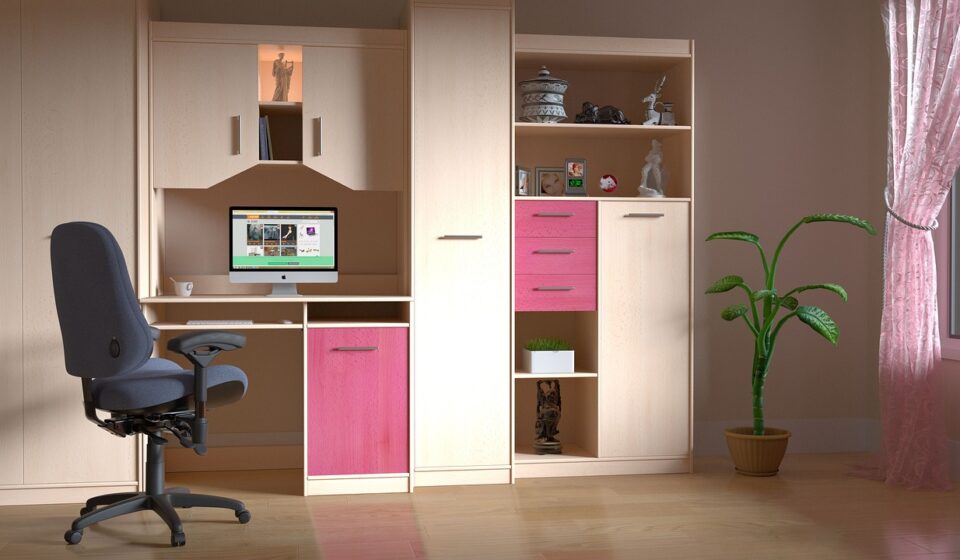
A built in shelf desk is most valuable when a room has to do more than serve as a dedicated office. It brings the work surface, vertical storage, display space, and sometimes closed cabinetry into one planned wall. When the layout is handled well, the result can feel calmer than a freestanding desk surrounded by separate bookcases. When it is handled poorly, the same built-in can leave the user with a shallow work area, awkward reach, poor lighting, and nowhere for cables or everyday items.
Recent remodeling and design research points in the same direction: homeowners are investing in functional spaces, smarter storage, and rooms that can support more than one activity. In the National Kitchen & Bath Association 2026 trend research, surveyed professionals highlighted the rise of flex-office spaces and smarter storage. Harvard Joint Center for Housing Studies research has also shown sustained high levels of home improvement and repair spending in the United States, which helps explain why built-in storage and work zones remain relevant in renovation planning. For more design context, see the site category on built-in furniture.
Start with the room before deciding the desk shape
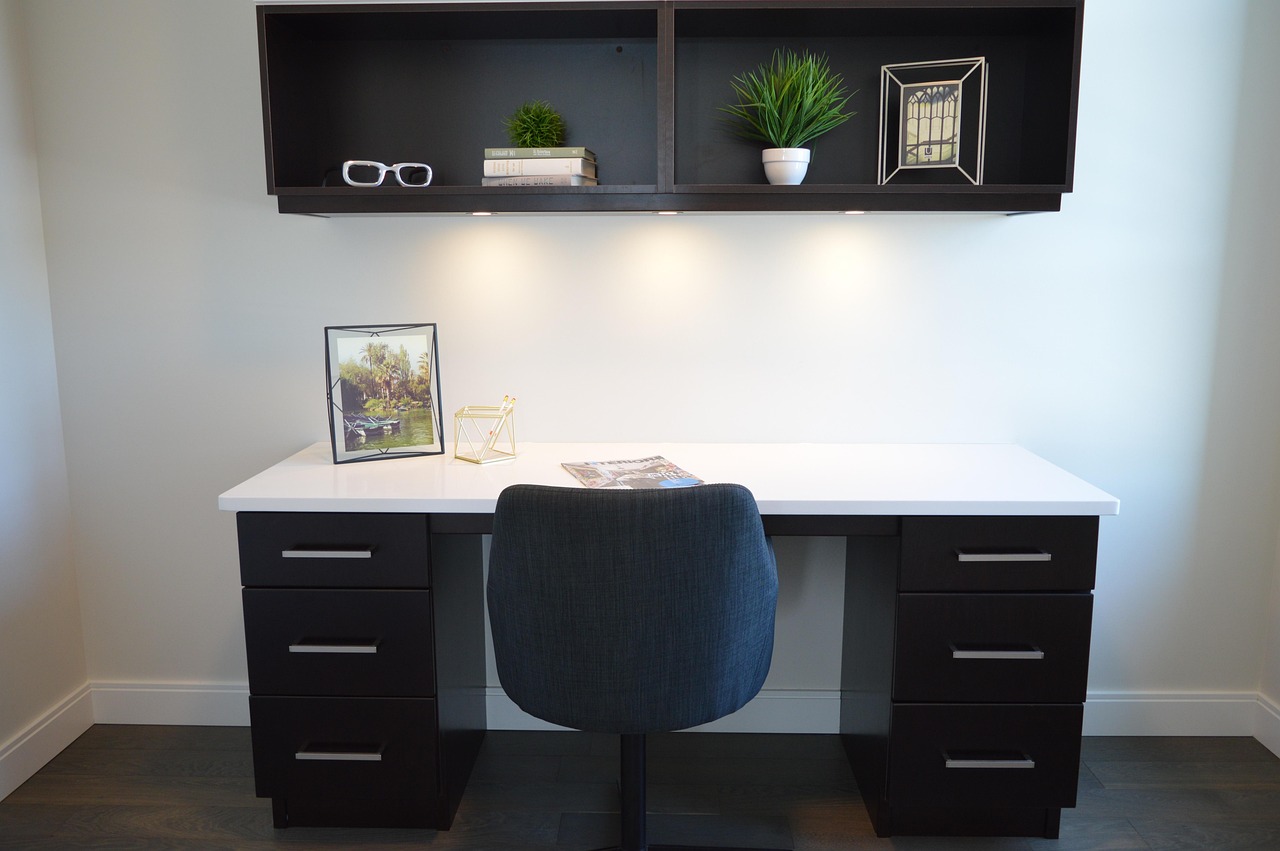
The best built-in shelf desk designs start with the room, not with the cabinet elevation. Before choosing colors, shelf thickness, or door profiles, define how the space will be used on a normal day. A desk for occasional paperwork can be narrower and more decorative. A daily computer workstation needs more careful planning for monitor distance, chair movement, task lighting, cables, and ventilation around equipment.
Choose the right wall or alcove
A full wall works well when the room is clearly meant to include a work zone. An alcove, window recess, landing, or spare bedroom wall can be better when the desk should feel integrated but not dominant. If the desk sits in a living room or bedroom, closed lower storage and selective open shelving can help the work area look quieter after hours.
Measure more than the wall width. Check baseboards, outlets, window trim, floor slopes, HVAC vents, door swings, and the chair path. A built-in that looks clean in elevation drawings can become frustrating if the chair blocks a closet, the desktop cuts across an outlet, or a drawer cannot fully open because of a nearby radiator or bed.
Decide between a straight, L-shaped, or nook layout
A straight wall desk is the simplest option and is often the easiest to combine with shelves above and cabinets below. An L-shaped desk provides more surface area for drawing, paperwork, or multiple screens, but the corner needs careful planning so the user does not sit too far from storage. A nook desk can work in a hallway or small room, provided it does not feel like a narrow slot. The user still needs shoulder room, leg room, and enough surface depth for a screen or laptop setup.
Desk ergonomics that built-ins often get wrong
Built-ins are permanent, so ergonomic mistakes are harder to correct than they are with movable furniture. OSHA computer workstation guidance recommends placing the monitor directly in front of the user and at least 20 inches away. OSHA also advises that the top of the monitor should be at or slightly below eye level for most users, with enough room under the work surface for the legs. BIFMA X10.1-2024, an ergonomics standard for furniture designed for computer use, also reflects the importance of dimensional fit when furniture supports computer work.
Surface depth matters
A shallow desktop may look sleek, but it can push the screen too close, crowd the keyboard, and leave no space for a notebook. For laptop-only use, a compact surface can work if the user does not sit there for long sessions. For daily work, allow enough depth for a separate keyboard, mouse, monitor, and a small writing area. If a large monitor is planned, the design may need a deeper work surface or a monitor arm fixed to a reinforced panel.
Do not fill the knee space with storage
One common mistake is treating every inch under the desk as storage. Drawers, printer cabinets, file boxes, and computer towers can quickly reduce leg clearance. Keep the central sitting position open and place storage to the sides. If a keyboard tray is used, make sure it does not reduce knee clearance or force the chair too far back.
Plan for different users
A built-in desk in a family room, guest room, or shared study may be used by adults, teenagers, and occasional visitors. A fixed-height desktop can work when paired with an adjustable chair and, if needed, a footrest. However, the more people who use the desk for long sessions, the more valuable adjustability becomes. Consider a height-adjustable insert, a separate sit-stand converter, or at least enough vertical clearance for future changes.
Storage layout for books, devices, and display
The shelf portion should not simply fill the wall. Good storage needs zones. Frequently used items belong within seated reach. Heavy items belong low. Display objects need breathing room. Paperwork, chargers, and office supplies usually look better behind doors or in drawers than spread across open shelves.
Use closed storage to control visual clutter
Closed lower cabinets are useful for files, printer paper, router equipment, craft supplies, and items that do not add to the appearance of the room. Drawers can be more efficient than deep cabinets because they bring contents forward. If the room doubles as a bedroom or living area, closed storage helps the desk fade into the background when work is finished.
Keep open shelves useful, not crowded
Open shelves work best for books, reference binders, decorative objects, and a few daily-use items. Vary shelf heights if the contents vary. Tall art books, binders, storage boxes, and small decor do not need the same spacing. Adjustable shelf holes can look less custom, but they provide flexibility as work habits change.
Think about reach and weight
Store heavy books and equipment on lower shelves or in base cabinets. Upper shelves are better for lighter objects and occasional-use items. If shelves span a wide distance, the material and support method matter. Long unsupported shelves can sag over time, especially under books. A thicker shelf, hardwood front edge, vertical dividers, or concealed metal support can improve stiffness depending on the construction method.
Materials and construction choices
Material selection affects durability, cost, edge detail, finish quality, and how the built-in handles daily use. There is no single correct material for every project. The right choice depends on whether the desk is painted, stained, heavily loaded with books, or designed as a decorative feature. See also: buying guides.
| Material or method | Where it works well | Design notes |
|---|---|---|
| Cabinet-grade plywood | Desk boxes, shelves, and built-in carcasses | Stable, strong, and suitable for painted or veneered finishes when edges are treated properly. |
| MDF | Painted panels, doors, and trim details | Smooth for paint, but edges and moisture exposure need careful finishing. |
| Solid wood | Desktop edges, accents, face frames, and premium stained details | Attractive and repairable, but movement with humidity must be considered. |
| Metal brackets or concealed supports | Long shelves, floating elements, and monitor-arm reinforcement | Useful when the design needs slim lines without visible vertical dividers. |
| Modular cabinet components | Budget-conscious or semi-custom installations | Efficient, but dimensions may limit the exact desk height, depth, and shelf spacing. |
The desktop deserves special attention because it receives more wear than most shelves. Painted surfaces can look clean but may show scratches at the front edge. Wood, veneer, laminate, or a durable high-pressure surface may be more practical for heavy daily use. If writing directly on paper is common, choose a surface that is smooth enough for writing but resilient enough for keyboards, laptops, and cups.
Cable, power, and lighting planning
Power and cable management are easier to design before installation than to correct afterward. A built-in shelf desk may need outlets for a monitor, laptop charger, task light, printer, router, speakers, and phone charging. Electrical work should follow local code and should be handled by a qualified electrician when outlets or wiring are changed.
Hide cables without trapping equipment
Grommets, rear cable channels, removable back panels, and open chases can keep cords organized while still allowing access. Do not seal routers, power strips, or electronics inside airtight compartments. Equipment that generates heat needs ventilation. A removable panel behind a printer or router cabinet can make maintenance much easier.
Layer the lighting
A ceiling light alone often creates shadows when the user sits at the desk. Add task lighting under a shelf, a small adjustable lamp, or integrated LED strips where appropriate. If shelves are used for display, separate accent lighting can highlight objects without over-lighting the screen. The goal is to make paperwork visible without creating glare on the monitor.
Protect the work surface from device clutter
Charging drawers, small cable cubbies, and side compartments can keep phones, tablets, and headphones off the main desktop. This is especially useful in kitchens, family rooms, and bedrooms where a built-in shelf desk may also serve as a household command center.
Custom, semi-custom, or modular
The choice between custom, semi-custom, and modular construction depends on budget, timeline, wall conditions, and how exact the workstation needs to be. Custom millwork is usually the most flexible because it can follow uneven walls, align with windows, and solve awkward corners. Semi-custom cabinetry can be efficient when standard cabinet sizes fit the space. Modular furniture can be practical for renters or projects where future relocation matters.
- Choose custom when the room has unusual dimensions, the desk will be used daily, or the design must match existing architecture.
- Choose semi-custom when standard cabinet dimensions work and the priority is a polished built-in look with some flexibility.
- Choose modular when the project needs to be reversible, faster to install, or easier to change later.
For resale-sensitive spaces, avoid overly personal dimensions and highly specific storage that only fits one hobby or device. A flexible built-in shelf desk with a clear work area, adjustable shelving, and neutral storage is more adaptable than a wall system designed around one printer model or one computer screen size.
Common mistakes to avoid
- Making the desk too shallow. A narrow surface may look elegant in drawings but feel cramped with a monitor, keyboard, and notebook.
- Ignoring chair movement. Leave enough room to pull the chair back without hitting a bed, island, cabinet, or wall.
- Overloading open shelves. Too many exposed items can make the entire room feel busy.
- Skipping power planning. Extension cords and visible adapters can undermine the clean look of built-in furniture.
- Placing heavy storage too high. Upper shelves should not become awkward storage for dense books or equipment.
- Forgetting future technology. Plan access paths for new cables, different monitors, and changing device sizes.
- Designing only for photos. A desk that looks minimal but lacks drawers, lighting, and cable access may not work well every day.
Frequently asked questions
Is a built in shelf desk good for a small room?
Yes, if it uses vertical space without crowding the chair or walkway. In a small room, prioritize clear knee space, a desktop deep enough for the main task, and closed storage for clutter. Avoid oversized shelves that make the wall feel heavy.
How deep should a built-in desk be?
The right depth depends on the equipment. Occasional laptop use can work on a shallower surface, but daily computer work usually needs more depth for comfortable screen distance, keyboard placement, and writing space. OSHA guidance that monitors should generally sit at least 20 inches from the user is a useful planning reference.
Should shelves go all the way to the ceiling?
Floor-to-ceiling shelves can look intentional and provide more storage, but they are not always necessary. If the room has low ceilings, heavy upper storage, or limited natural light, stopping lower or mixing closed cabinets with open shelves may feel better.
Can a built-in shelf desk be added to an existing room?
Usually yes, but existing outlets, trim, windows, vents, and wall structure affect the design. Older rooms may have uneven walls or floors, so careful measuring and scribing are important for a clean built-in appearance.
What makes a built-in desk look less bulky?
Use a balanced mix of open and closed storage, keep the desktop area visually clear, align vertical divisions with room features, and avoid making every shelf the same height. Lighter finishes, recessed toe kicks, and selective lighting can also reduce visual weight.