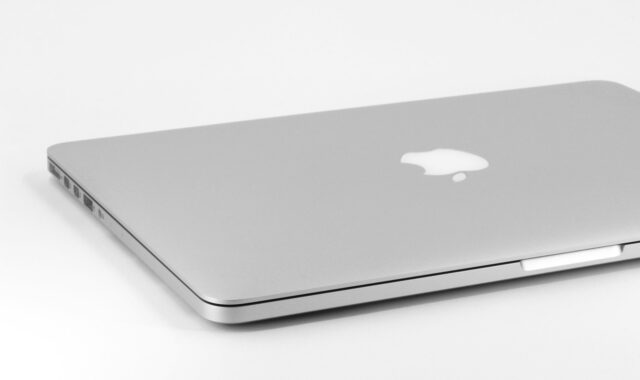
Laptop buying guide 2021 for work, school, and home use

What this laptop buying guide 2021 covers
This laptop buying guide 2021 is for readers comparing Windows laptops, MacBooks, and Chromebooks from a year when remote work, online classes, USB-C charging, Wi-Fi 6, Apple silicon, and Windows 11 compatibility all became more important buying factors. For most buyers in 2021, the sensible target was not simply the cheapest model. It was a laptop with a current-generation processor, at least 8GB of memory, a fast SSD, a 1080p IPS-class display, dependable ports, and enough battery life to work for several hours away from a desk.
If you are reading this in 2026 while considering a used or refurbished 2021 laptop, add one more rule: check software support before judging the price. Microsoft released Windows 11 on October 5, 2021, and standard Windows 10 support ended on October 14, 2025. A 2021 laptop can still be useful, but only if its operating system, battery health, charger, and storage condition match the way you plan to use it.

What changed in the 2021 laptop market
Many 2021 buying decisions were shaped by platform changes, not just by processor speed. Microsoft set Windows 11 requirements around a compatible 64-bit processor, 4GB of RAM, 64GB of storage, UEFI Secure Boot, and TPM 2.0. Those were minimum requirements, not comfort requirements. For everyday Windows use, 8GB of RAM and a 256GB SSD were the safer baseline, while 16GB of RAM made more sense for heavier multitasking.
Processor competition also improved. AMD announced Ryzen 5000 Series Mobile processors in January 2021, bringing Zen 3 designs to many performance and business laptops. Intel 11th Gen Core mobile laptops, especially Intel Evo-verified models, emphasized thin-and-light designs with features such as Wi-Fi 6 and Thunderbolt 4 on selected configurations. Apple had introduced its first M1 MacBook Air in November 2020, so by 2021 many buyers were comparing battery-efficient Apple silicon directly with Windows ultrabooks rather than treating MacBooks as a separate category.
Connectivity was another practical shift. USB-C was no longer just a small reversible port. On better laptops, it could support charging, external displays, docks, and high-speed data. The port shape alone, however, did not guarantee those capabilities. Buyers still had to check the exact model specification.
Start with the job, not the spec sheet
A laptop is easier to choose when the workload is clear. A student writing papers, a contractor reviewing plans, a furniture designer working with large images, and a gamer all need different trade-offs. Buying only by processor name or discount price can lead to a machine that looks strong in one benchmark but feels frustrating in daily use.
Basic home, browsing, and office work
For email, web browsing, video calls, documents, banking, and streaming, prioritize a good screen, comfortable keyboard, SSD storage, and enough memory. A Core i3, Core i5, Ryzen 3, Ryzen 5, or Apple M1 could be enough in 2021, depending on the operating system and workload. Avoid very low storage unless the laptop is a Chromebook used mostly with cloud files.
Remote work and school
Remote users should look beyond raw speed. A clear webcam, stable Wi-Fi, quiet fan behavior, a backlit keyboard, and USB-C charging can matter more than a small processor upgrade. If the laptop will drive an external monitor, confirm whether the USB-C or HDMI port supports the display resolution and refresh rate you need.
Creative, planning, and light design work
For photo editing, large PDF plans, 2D drafting, furniture layouts, or presentations with many images, 16GB of RAM and a 512GB SSD are more comfortable than an entry-level configuration. A display with good brightness and strong color coverage is also important. If the work includes 3D rendering, real-time visualization, or modern games, consider a laptop with a discrete GPU and adequate cooling rather than relying only on integrated graphics.
| Use case | Reasonable 2021 target | What to check before buying |
|---|---|---|
| Everyday home use | 8GB RAM, 256GB SSD, 1080p screen | Keyboard comfort, battery condition, webcam quality |
| School or remote work | Core i5, Ryzen 5, or M1 class performance | Wi-Fi reliability, USB-C charging, external monitor support |
| Design and content work | 16GB RAM, 512GB SSD, better display | Color quality, cooling, upgrade options |
| Gaming or 3D tasks | Discrete GPU, high-refresh display, strong cooling | GPU wattage, fan noise, charger size |
Core specs that mattered most in 2021
Processor
For Windows laptops in 2021, Intel 11th Gen Core and AMD Ryzen 4000 or Ryzen 5000 models were common reference points. A Core i5 or Ryzen 5 was usually the practical middle ground. Core i7 and Ryzen 7 models could help with heavier workloads, but only if the laptop had enough cooling to sustain performance. Some thin laptops reduced high-end chip performance under long loads, so chassis design mattered as much as the processor label.
For Mac buyers, the M1 MacBook Air stood out because Apple combined strong everyday performance with fanless operation and long advertised battery life. The main limitation was configuration flexibility: memory and storage were not user-upgradeable after purchase, so the original specification mattered a lot.
Memory
In 2021, 4GB of RAM was only acceptable for very light ChromeOS use or the lowest-cost Windows machines with modest expectations. For a Windows or macOS laptop intended to last several years, 8GB was the realistic floor and 16GB was the safer target. This was especially true for buyers who kept many browser tabs open, used video meetings, edited photos, or connected to large external displays.
Before buying, check whether RAM is soldered. Many thin-and-light laptops cannot be upgraded later, which makes the cheaper 8GB configuration less attractive for long-term ownership.
Storage
An SSD should be treated as essential. Compared with older hard drives, SSDs make booting, launching apps, file searches, and system updates feel much faster. A 256GB SSD was a reasonable 2021 starting point for general use, while 512GB was better for photos, design files, local video, games, or offline work. Be cautious with 64GB or 128GB eMMC storage on budget Windows laptops because it can fill quickly after updates and applications.
Graphics
Integrated graphics were enough for office work, streaming, web apps, and light image editing. Intel Iris Xe, AMD integrated graphics, and Apple M1 graphics all improved the thin laptop category. Integrated graphics, however, were not a substitute for a gaming or workstation GPU. If you needed CAD acceleration, 3D rendering, video effects, or serious gaming, the specific GPU and cooling design were more important than the laptop brand.
Display, keyboard, webcam, and ergonomics
The screen is the part of the laptop you use all day, so it should not be treated as a minor specification. A 13-inch or 14-inch laptop is easier to carry, while 15-inch and 16-inch models offer more workspace and larger keyboards. In 2021, a 1920 by 1080 IPS-class display was a sensible minimum for most buyers. Higher-resolution panels looked sharper, but they could raise the price and reduce battery life.
Brightness also matters. Around 250 nits can work indoors, but 300 nits or more is more comfortable in brighter rooms. For design, photography, product images, or presentation work, look for better color coverage rather than simply a larger screen. A dull, narrow-color display can make furniture finishes, materials, and images look inaccurate. See also: built-in furniture.
Keyboards vary widely. If possible, test the layout, key travel, arrow keys, and touchpad before buying. A backlit keyboard is useful for travel, classrooms, shared workspaces, and site visits. Webcams on many 2021 laptops were still 720p, so buyers who spend hours in meetings may want either a model with a better camera or a separate webcam.
Ports, wireless, and charging
Ports are a common source of buyer regret. A slim laptop may look clean but force you to carry adapters every day. For most 2021 buyers, a practical port mix included at least one USB-C port, at least one USB-A port for older accessories, a headphone jack, and either HDMI or reliable USB-C display output. Creators and photographers may also value an SD or microSD card slot.
USB-C deserves special attention. Some USB-C ports only transfer data. Others also support charging, DisplayPort output, or Thunderbolt. Intel Evo laptops promoted premium features such as Thunderbolt 4 and Wi-Fi 6 on verified designs, but buyers still needed to confirm the exact model and configuration. The USB Implementers Forum announced USB Power Delivery Revision 3.1 in 2021, enabling higher power delivery through updated USB-C specifications, but that did not mean every 2021 laptop or charger supported the highest wattage.
For wireless networking, Wi-Fi 6 was useful if your router supported it, especially in crowded homes, offices, or apartments. It was not a reason to overlook screen, memory, or storage quality, but it was worth having in a laptop expected to stay in service for several years.
Battery life, repairability, and total cost
Battery claims are not the same as real working time. A manufacturer test may use lower brightness, simple video playback, or light browsing, while your day may include video calls, spreadsheets, browser tabs, Bluetooth accessories, and a brighter screen. Higher-resolution displays, discrete GPUs, and sustained processor loads drain batteries faster.
For a used 2021 laptop, battery health is one of the biggest risks. Ask for the battery cycle count or remaining capacity where available. A cheap used laptop may not be cheap if it immediately needs a new battery, charger, or SSD. Also check whether the manufacturer still sells parts and whether the battery is reasonably serviceable.
Energy efficiency labels can help when comparing similar models. ENERGY STAR computer guidance focuses on efficient operation across modes such as sleep, idle, and off, not just peak performance. That matters for laptops used all day on desks, in classrooms, or in shared work areas.
Finally, compare the warranty, return window, and service contract before paying. Federal Trade Commission consumer guidance recommends understanding what a warranty covers, what it excludes, and how it compares with any extended service contract. This is especially important for refurbished laptops, marketplace listings, and open-box deals.
A practical 2021 laptop checklist
- Confirm the operating system path. For Windows laptops, check Windows 11 compatibility rather than assuming every 2021 model qualifies.
- Aim for at least 8GB of RAM. Choose 16GB if you multitask heavily, edit content, or want a longer useful life.
- Choose SSD storage. Treat 256GB as the practical minimum and 512GB as the better long-term option.
- Inspect the display. Look for a 1080p IPS-class panel or better, comfortable brightness, and suitable color quality for visual work.
- Check the exact ports. Verify whether USB-C supports charging, display output, Thunderbolt, or only data.
- Do not ignore the keyboard and touchpad. These affect comfort more than small benchmark differences.
- Review battery health on used units. A worn battery can turn a good deal into an immediate repair project.
- Check upgradeability. Soldered RAM and difficult battery access can limit the laptop later.
- Compare total cost. Include charger, dock, adapters, warranty, returns, and possible repairs.
Frequently asked questions
Is 8GB of RAM enough for a 2021 laptop?
Yes, 8GB is enough for basic office work, browsing, streaming, and school tasks, especially with an SSD. For heavier multitasking, creative work, large browser sessions, or long-term use, 16GB is the better choice. If the memory is soldered, buy the amount you expect to need later.
Should I buy Windows, macOS, or ChromeOS?
Choose Windows if you need the widest range of business, engineering, gaming, or specialist software. Choose macOS if your preferred applications run well on Apple silicon and you value strong battery life and build quality. Choose ChromeOS for web-based work, simple administration, and lower maintenance, but always check the Chromebook update schedule for the exact model.
Is a 2021 MacBook Air M1 still worth considering?
It can be, especially for writing, browsing, office work, study, and light creative tasks. The main checks are memory, storage, battery health, and port needs. Because memory and storage are not user-upgradeable, an 8GB and 256GB model should be priced accordingly compared with higher configurations.
What should I avoid in a budget 2021 laptop?
Avoid low-resolution displays, hard drives as the main storage, very small eMMC storage on Windows machines, 4GB RAM for long-term Windows use, unknown chargers, damaged hinges, and models with no clear update path. A low price is not enough if the laptop feels slow, cannot be updated, or needs repairs immediately.
Can a 2021 laptop replace a desktop?
Yes, if you choose the right configuration and accessories. A 15-inch or 16-inch laptop with 16GB RAM, adequate cooling, and enough storage can handle many desktop-style tasks. For all-day comfort, consider an external monitor, keyboard, mouse, and dock. For more buying advice, see the buying guides section.
Bottom line
The best 2021 laptop choice was not the model with the loudest marketing claim. It was the laptop that matched the work, had enough memory and SSD storage, offered a comfortable display and keyboard, included the ports actually used, and had a realistic software support path. For buyers comparing older models today, the same logic still applies, but battery health and Windows 11 or ChromeOS update support are now essential checks before purchase.